
2.1. Coupled Sierra/SM - Sierra/SD Eigenvalue Problems#
In this section, a modal analysis is applied to the output of Sierra/SM, also known as Adagio. A nonlinear preload is computed in Sierra/SM, followed by a modal analysis in Sierra/SD. In this approach, the modal analysis is performed about the nonlinear state that is computed in Sierra/SM. This is the most convenient approach, since the modes about the deformed state are typically of most interest.
This file transfer approach proceeds as follows. Here the Sierra/SM and
Sierra/SD input decks are named sierra.i and sd.inp. The model
consists of four layers of material, with a membrane layer between the
bottom layers, as shown in Figure 2.2.
Construct the input decks
sierra.iandsd.inp. Both input decks contain modifications required for hand-off as described in Section 2.Execute Sierra/SM
The output Exodus file that is assigned in Sierra/SM is used as the geometry file for the Sierra/SD analysis. This step will need to be inserted manually by the user.
Execute Sierra/SD.
a) Read displacements, stresses and certain material parameters from previous SM analysis. These are found in the Exodus output from SM.
b) Update original coordinates to the deformed coordinates, \(X = X_o + U\).
c) Compute element stiffness matrices from material properties.
d) Adjust stiffness matrices for stress preload.
e) Generate constraints.
f) Assemble system level matrices and solve eigenvalue problem.
Eigenvalues and modal frequencies are listed in the
salinas.rsltfile. Both modal frequencies and mode shapes are in the file Sierra/SD output Exodus file. If as shown here the second case is namedtwo, then the output Exodus file is namedsalinas-two.exo(see example below).
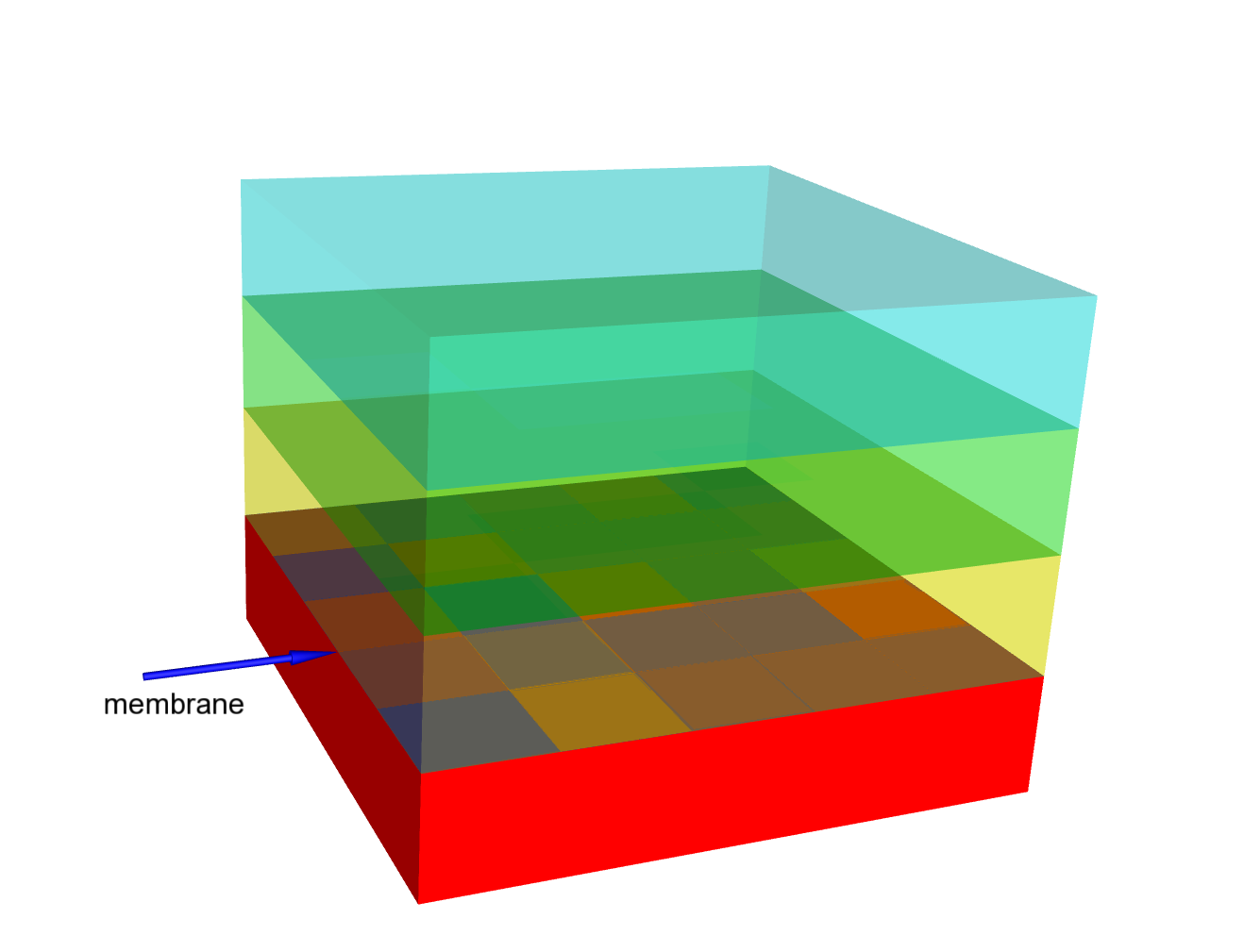
Figure 2.2 SM/SD Transfer Model Geometry.#