2.2. Mesh Requirements
Two mesh files, one for the reference region and one for the RVE region, are required for an RVE analysis. Fig. 2.1 shows an example of the two meshes. The reference mesh of a bar with six single integration point elements is shown on the upper left. On the lower right is the mesh for the RVE region containing six RVEs, one for each element (since the elements have only one integration point) of the reference region. In this case, the first five RVEs each consist of two element blocks and the last RVE has four.
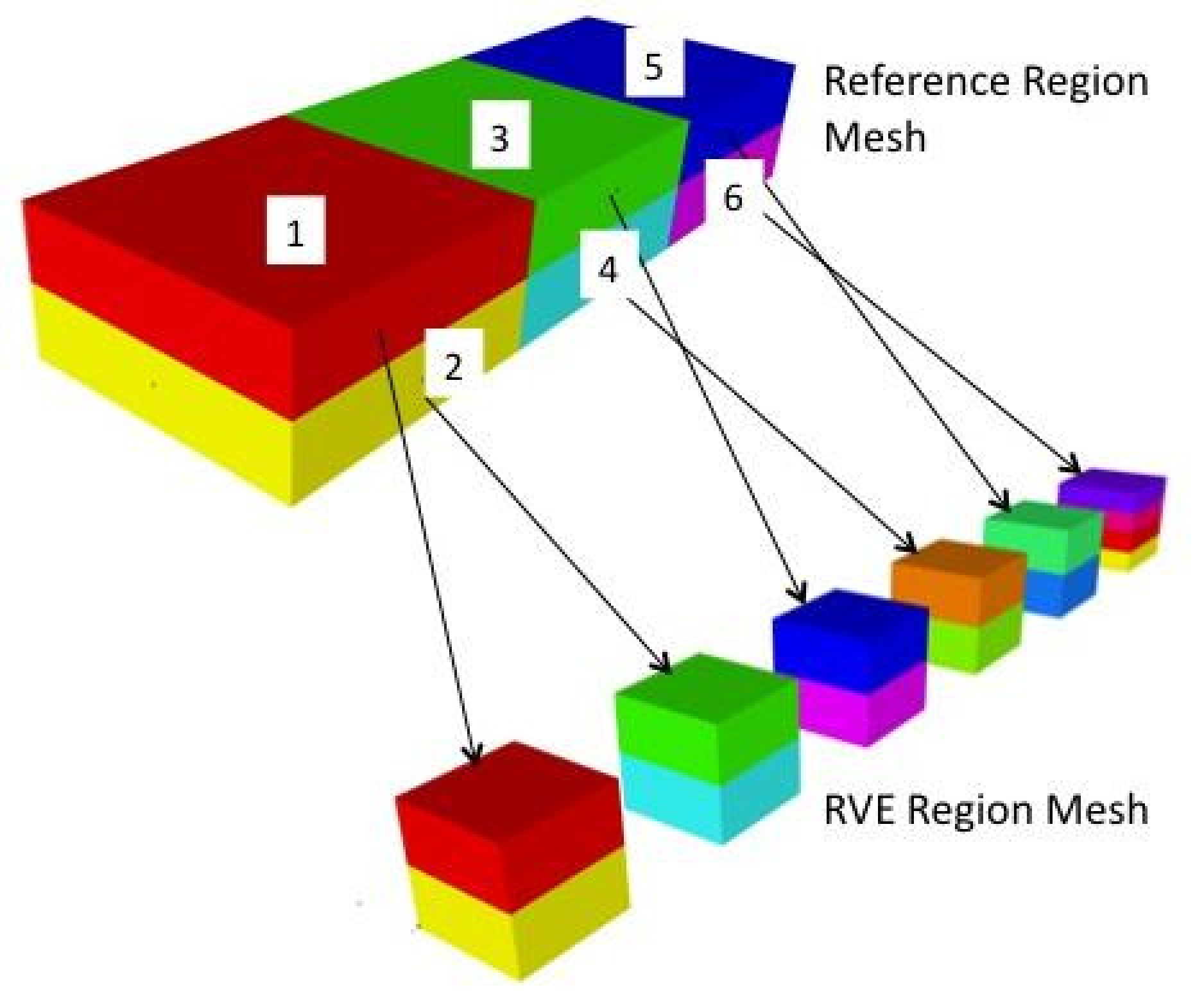
Fig. 2.1 Example of meshes for RVE analysis.
In general, each RVE should be a cube with any discretization the user desires. All RVEs must be aligned with the global x, y, and z axes. For stress computations, these axes are rotated into a local coordinate system, which can be specified on the reference mesh elements if these reference elements are uniform gradient hexahedra. In other words, if a local coordinate system is specified on a reference mesh uniform gradient element, the RVE global axes will be rotated internally in Sierra/SM to align with the local system on the associated parent element. The global X axis for an RVE is actually the local X’ axis in the parent element.
Additional mesh requirements apply if the mesh does not match across opposing surfaces of the RVE. In this case, the RVE must include a block of membrane elements on the exterior surfaces with matching discretization on opposing surfaces (+x/-x, +y/-y, +z/-z). In order to minimize the effects of this membrane layer on the RVE response, it should be made as thin as possible. This membrane layer then must be tied to the underlying non matching RVE surfaces.
The RVE mesh must contain sidesets or node sets on each surface of every RVE. The RVE may be enclosed with one sideset that spans all six surfaces of the curb, or the user may specify individual sidesets or node sets on each face. These sidesets/node sets are used to apply the periodic boundary conditions on the RVE. Sierra/SM generates the boundary conditions internally so the user does not have to include them in the input file. However, this assumes that the sidesets/node sets exist in the mesh file numbered in a specified order. If individual sidesets/node sets are used on each face of the RVE, the six sidesets/node sets must be numbered consecutively, starting with the positive-x face, followed by the negative-x face, positive-y face, negative-y face, positive-z face, and ending with the negative-z face. The beginning sideset id (for the positive-x face) is set by the user in the input file.