Power Tools GUI Tutorial
Step 4: Mesh Power Tools
The Mesh Power Tool provides an easy and graphical way to determine if volumes are meshable. This tool will employ the AutoScheme feature in CUBIT to select and assign schemes to meshable volumes. If a volume is not currently meshable, it will be flagged and highlighted. Use the Mesh Power Tool to determine if the volume is currently meshable.
- Click on the purple Mesh Tools tab in the Power Tools window.
- Select Volume as the entity type in the pull-down menu (It may already be selected)
- Enter all in the input window
- Press Analyze
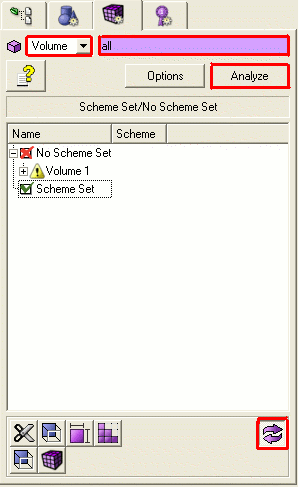
Volume 1 will appear under the "No Scheme Set" heading.
- Toggle the Graphics Button in the bottom left corner
The graphics window should look like this with Volume 1 highlighted in red. Using this graphics feature, all volumes that are meshable will be highlighted in green, and all volumes that are not currently meshable will be highlighted in red.
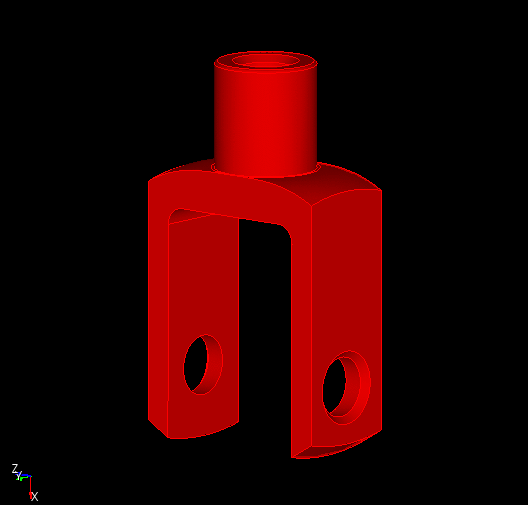
- Turn the Graphics Button off so that Volume 1 is shown in green again


